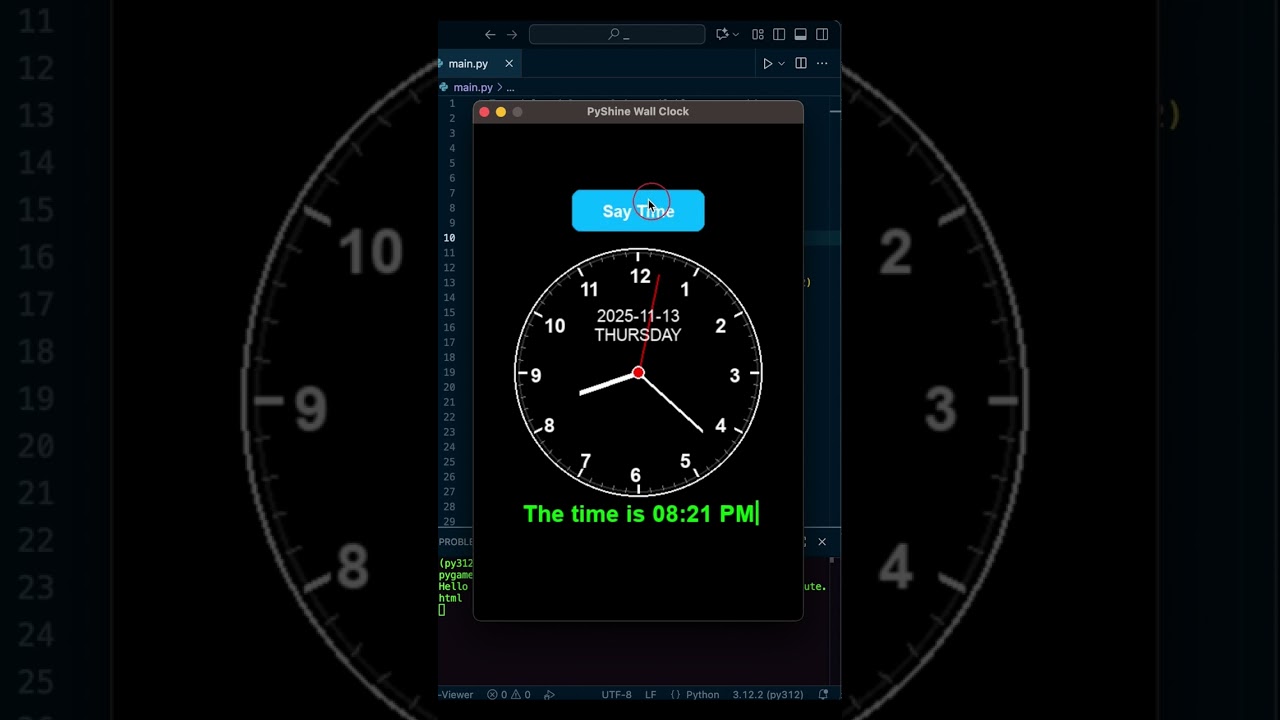
Dear Python Beginners: This video demonstrates output of a simple project by creating a wall clock using Python and Pygame and a button to speak time via TTS or Text-to-Speech. This project is beginner-friendly and helps understand Pygame basics, trigonometry, and working with real-time updates.
You can further read and download source code: https://www.pyshine.com/Talking-Wall-Clock/
You will learn how to:
– Draw a clock face with hour and minute marks
– Display hour, minute, and second hands in real-time
– Play a tick sound every second like a real analog clock
– Show the current date and day dynamically
– Implement a clickable button that announces the time using TTS
– Display the spoken time as a typing animation with a blinking cursor
This tutorial is beginner-friendly and demonstrates the practical use of Pygame for graphics, NumPy for sound generation, and pyttsx3 for offline TTS, giving you a solid foundation for interactive multimedia applications in Python. It also introduces threading and timing concepts, showing how to keep your program responsive while handling multiple tasks simultaneously.
コメント